


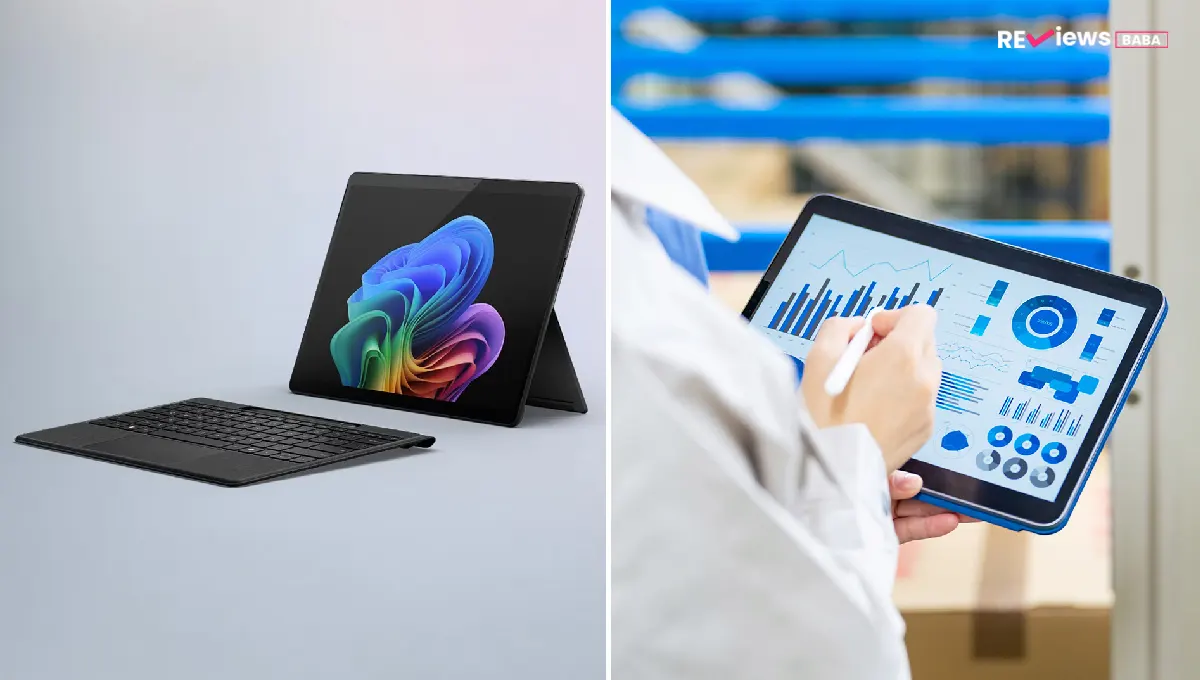
Galaxy Tab vs Laptop: Can a Tablet Really Replace Your Computer?
Modern tablets have come a long way from being simple devices for streaming videos and browsing the web. With desktop-style software, keyboard accessories, and advanced multitasking, many people now wonder whether carrying a laptop is still necessary.
If you've been asking yourself whether a Galaxy Tab can truly replace your computer, you're not alone. The answer depends less on the device itself and more on how you use it every day.
In this article, you'll discover where tablets shine, where laptops still lead, and how to decide which option fits your workflow without spending money on features you may never use.
Quick Overview :
|
At a Glance |
Summary |
|
Can a tablet replace a laptop? |
Yes—for many everyday users, but not every professional workflow. |
|
Best for |
Browsing, email, meetings, note-taking, document editing, and entertainment. |
|
Laptop advantage |
Heavy multitasking, specialized software, coding, and advanced productivity. |
|
Galaxy Tab highlight |
Desktop-style features, keyboard support, and Samsung DeX improve productivity. |
|
Bottom line |
Choose the device based on your daily tasks, not just the latest technology. |
What Can a Modern Tablet Actually Do?
Today's premium tablets are built for much more than watching videos. They handle web browsing, email, video conferencing, cloud-based office work, note-taking, presentations, and document editing with ease. Pair one with a keyboard and mouse, and the experience becomes much closer to using a traditional computer.
Many professionals who spend their day working in web browsers, collaborating on cloud documents, or attending virtual meetings find that a tablet comfortably handles their workload. Creative users also benefit from responsive stylus support for sketching, annotating PDFs, and taking handwritten notes.
When considering a Galaxy Tab as a laptop replacement, it's important to evaluate your actual daily tasks instead of assuming every job requires a full computer.
For users whose work revolves around productivity apps and browser-based tools, a modern tablet can deliver speed, portability, and convenience while taking up far less space in a backpack.
Tablet vs Laptop for Work: Which One Fits Your Daily Routine?
Choosing between a tablet and a laptop isn't about which device is better overall. It's about which one better supports the way you work.
|
Task |
Tablet |
Laptop |
|
Email & Messaging |
✔ Excellent |
✔ Excellent |
|
Video Meetings |
✔ Excellent |
✔ Excellent |
|
Web Browsing |
✔ Excellent |
✔ Excellent |
|
Document Editing |
✔ Very Good |
✔ Excellent |
|
Large Spreadsheets |
Good |
Excellent |
|
Programming |
Limited |
Excellent |
|
Professional Video Editing |
Moderate |
Excellent |
|
Heavy Multitasking |
Good |
Excellent |
For everyday office work, tablets continue to improve each year. They open documents quickly, support cloud collaboration, and make switching between apps easier than ever.
However, tablet vs laptop for work becomes a different conversation when your job depends on desktop software, advanced spreadsheets, multiple external displays, or specialized applications. These tasks still favor a traditional laptop due to greater processing flexibility and software compatibility.
Can a Galaxy Tab Replace a Laptop?
The answer is yes for many people.
A Galaxy Tab equipped with a keyboard case offers an experience that feels surprisingly close to working on a laptop. Multitasking features allow multiple applications to remain open simultaneously, while support for Bluetooth accessories creates a more familiar desktop environment.
Students can take notes, complete assignments, and join online classes without carrying a heavier computer. Remote professionals can answer emails, edit presentations, and participate in meetings from almost anywhere. Frequent travelers often appreciate the lighter design while still maintaining productivity throughout the day.
One reason many users consider a Galaxy Tab as a laptop replacement is its flexibility. Remove the keyboard when reading or watching content, then reconnect it when it's time to work.
This flexibility makes tablets appealing to users who want one device for both productivity and entertainment without constantly switching between multiple gadgets.
Is Samsung DeX Worth It for Everyday Productivity?
One feature that changes the productivity experience is Samsung DeX. Instead of the traditional tablet interface, it provides a desktop-style workspace with resizable windows, taskbar navigation, and easier multitasking.
For users transitioning from laptops, this familiar layout reduces the learning curve. Connecting a keyboard, mouse, or external monitor creates a setup that feels much closer to a conventional desktop computer.
So, Samsung DeX worth it? For many users, absolutely. It works especially well for document editing, email management, presentations, and browser-based work.
That said, it's important to set realistic expectations. Some desktop applications remain unavailable or offer fewer features than their computer versions. Highly specialized software may still require a traditional operating system.
Overall, Samsung has developed DeX into one of the strongest productivity features available on an Android tablet, making it a valuable addition rather than just another software feature.
When Can a Tablet Replace Your Laptop and When Can't It?
Not everyone needs the same level of computing power.
A tablet may replace your laptop if you regularly:
- Browse the web
- Reply to emails
- Join virtual meetings
- Create presentations
- Edit documents
- Read PDFs
- Stream media
- Take handwritten notes
Keep a laptop if you frequently:
- Develop software
- Perform professional video editing
- Use engineering or design software
- Analyze complex spreadsheets
- Run multiple demanding applications simultaneously
- Depend on desktop-only programs
The biggest mistake people make is assuming they need maximum performance for everyday tasks. In reality, many users spend most of their day inside web browsers, communication platforms, and office applications.
Accessories That Create a Laptop-Like Experience
Accessories often determine whether a tablet truly feels like a computer.
Consider adding:
- A quality keyboard case for comfortable typing
- A Bluetooth mouse for easier navigation
- A USB-C hub for connecting external devices
- An external monitor for a larger workspace
- Cloud storage for seamless file access
- A stylus for note-taking and creative projects
Combined with productivity features from Samsung, these accessories transform a tablet into a versatile workspace while maintaining the portability that makes tablets so attractive.
Conclusion
A tablet is no longer just a companion device; it has evolved into a capable productivity tool for millions of users.
Whether it can fully replace your laptop depends on the tasks you perform every day. If your routine revolves around web-based work, communication, documents, and portability, a Galaxy Tab can be an excellent choice.
However, users who rely on specialized desktop software or demanding creative workflows may still need the power and flexibility of a traditional laptop
. Before making your decision, list your daily tasks, compare them honestly with each device's strengths, and choose the option that supports your productivity both today and in the future.